Connecting Power BI to the EMC Dashboard
The Power BI connector has been temporarily disabled while we review the security of the connection and the setup process. There is currently no indication of any compromise; this action is being taken as a precaution while we complete our checks.
EMC users will be notified by email once the Power BI connector is available again.
It’s possible to connect to EMC’s dashboard data as if it is a Postgresql Database. This allows you to use SQL to get data from the analytics layer of EMC that powers EMC dashboards. Simplifying business rules and logic.
Power BI Setup
-
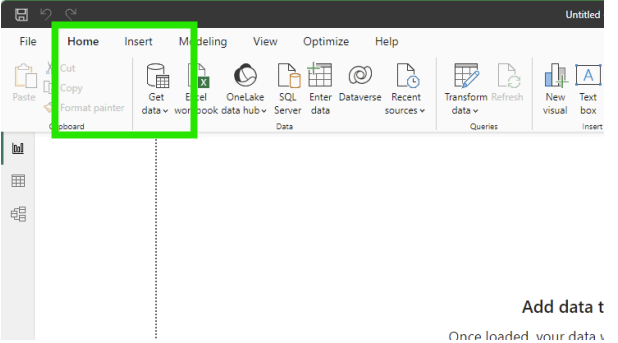
In PowerBI, Click on the Get data button
-
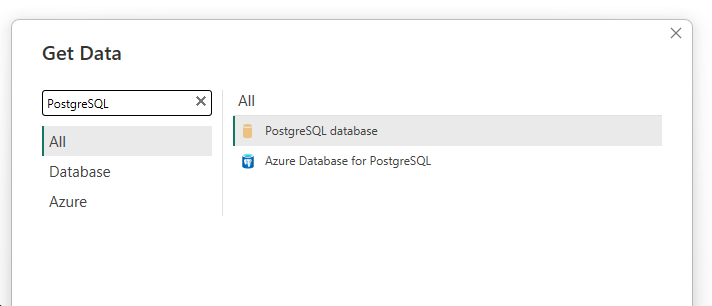
Search for PostgreSQL in the list of data sources and click connect
-
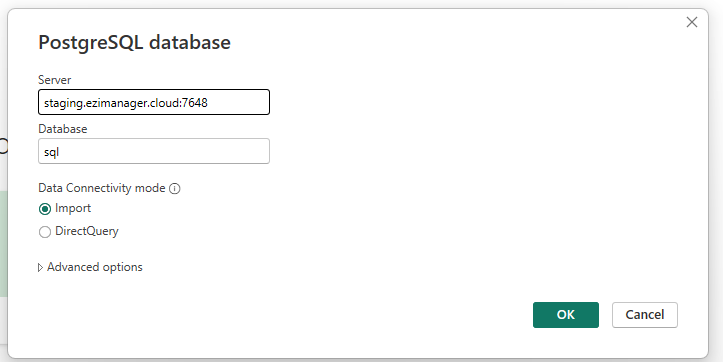
Type in the EMC server you are connecting to, the port number 7648 and sql as the database. The Data Connectivity mode can be set as needed to either option.
-
Enter your EMC user credentials
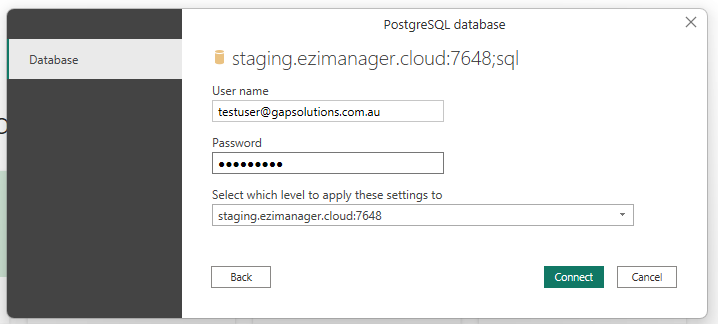
-
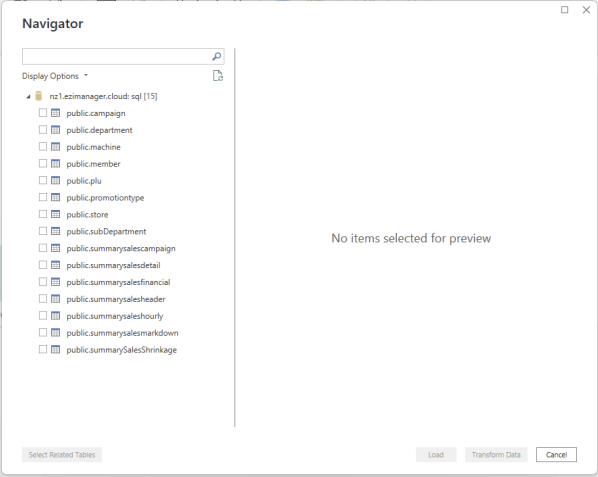
Select the data tables you want to add to your dashboard